
'%3e%3cpath%20d='M13%2019.938C15.0173%2019.6813%2016.8611%2018.6661%2018.1568%2017.0988C19.4525%2015.5314%2020.1027%2013.5295%2019.9754%2011.5C19.848%209.47041%2018.9527%207.56549%2017.4713%206.17238C15.9898%204.77927%2014.0336%204.00252%2012%204C9.96396%203.99848%208.00395%204.77334%206.51934%206.16668C5.03473%207.56002%204.13724%209.46699%204.00974%2011.499C3.88225%2013.5311%204.53434%2015.5353%205.83314%2017.1033C7.13195%2018.6712%208.97974%2019.685%2011%2019.938V14H9V12H11V10.346C11%209.009%2011.14%208.524%2011.4%208.035C11.6561%207.55119%2012.052%207.15569%2012.536%206.9C12.918%206.695%2013.393%206.572%2014.223%206.519C14.552%206.498%2014.978%206.524%2015.501%206.599V8.499H15C14.083%208.499%2013.704%208.542%2013.478%208.663C13.3431%208.73236%2013.2334%208.84215%2013.164%208.977C13.044%209.203%2013%209.427%2013%2010.345V12H15.5L15%2014H13V19.938ZM12%2022C6.477%2022%202%2017.523%202%2012C2%206.477%206.477%202%2012%202C17.523%202%2022%206.477%2022%2012C22%2017.523%2017.523%2022%2012%2022Z'%20fill='black'/%3e%3c/g%3e%3cdefs%3e%3cclipPath%20id='clip0_2995_1615'%3e%3crect%20width='24'%20height='24'%20fill='white'/%3e%3c/clipPath%3e%3c/defs%3e%3c/svg%3e)
'%3e%3cpath%20d='M12%209C11.2044%209%2010.4413%209.31607%209.87868%209.87868C9.31607%2010.4413%209%2011.2044%209%2012C9%2012.7956%209.31607%2013.5587%209.87868%2014.1213C10.4413%2014.6839%2011.2044%2015%2012%2015C12.7956%2015%2013.5587%2014.6839%2014.1213%2014.1213C14.6839%2013.5587%2015%2012.7956%2015%2012C15%2011.2044%2014.6839%2010.4413%2014.1213%209.87868C13.5587%209.31607%2012.7956%209%2012%209ZM12%207C13.3261%207%2014.5979%207.52678%2015.5355%208.46447C16.4732%209.40215%2017%2010.6739%2017%2012C17%2013.3261%2016.4732%2014.5979%2015.5355%2015.5355C14.5979%2016.4732%2013.3261%2017%2012%2017C10.6739%2017%209.40215%2016.4732%208.46447%2015.5355C7.52678%2014.5979%207%2013.3261%207%2012C7%2010.6739%207.52678%209.40215%208.46447%208.46447C9.40215%207.52678%2010.6739%207%2012%207ZM18.5%206.75C18.5%207.08152%2018.3683%207.39946%2018.1339%207.63388C17.8995%207.8683%2017.5815%208%2017.25%208C16.9185%208%2016.6005%207.8683%2016.3661%207.63388C16.1317%207.39946%2016%207.08152%2016%206.75C16%206.41848%2016.1317%206.10054%2016.3661%205.86612C16.6005%205.6317%2016.9185%205.5%2017.25%205.5C17.5815%205.5%2017.8995%205.6317%2018.1339%205.86612C18.3683%206.10054%2018.5%206.41848%2018.5%206.75ZM12%204C9.526%204%209.122%204.007%207.971%204.058C7.187%204.095%206.661%204.2%206.173%204.39C5.739%204.558%205.426%204.759%205.093%205.093C4.78001%205.3954%204.53935%205.76458%204.389%206.173C4.199%206.663%204.094%207.188%204.058%207.971C4.006%209.075%204%209.461%204%2012C4%2014.474%204.007%2014.878%204.058%2016.029C4.095%2016.812%204.2%2017.339%204.389%2017.826C4.559%2018.261%204.759%2018.574%205.091%2018.906C5.428%2019.242%205.741%2019.443%206.171%2019.609C6.665%2019.8%207.191%2019.906%207.971%2019.942C9.075%2019.994%209.461%2020%2012%2020C14.474%2020%2014.878%2019.993%2016.029%2019.942C16.811%2019.905%2017.338%2019.8%2017.826%2019.611C18.259%2019.442%2018.574%2019.241%2018.906%2018.909C19.243%2018.572%2019.444%2018.259%2019.61%2017.829C19.8%2017.336%2019.906%2016.809%2019.942%2016.029C19.994%2014.925%2020%2014.539%2020%2012C20%209.526%2019.993%209.122%2019.942%207.971C19.905%207.189%2019.8%206.661%2019.61%206.173C19.4593%205.765%2019.2191%205.39596%2018.907%205.093C18.6047%204.77985%2018.2355%204.53917%2017.827%204.389C17.337%204.199%2016.811%204.094%2016.029%204.058C14.925%204.006%2014.539%204%2012%204ZM12%202C14.717%202%2015.056%202.01%2016.122%202.06C17.187%202.11%2017.912%202.277%2018.55%202.525C19.21%202.779%2019.766%203.123%2020.322%203.678C20.8305%204.1779%2021.224%204.78259%2021.475%205.45C21.722%206.087%2021.89%206.813%2021.94%207.878C21.987%208.944%2022%209.283%2022%2012C22%2014.717%2021.99%2015.056%2021.94%2016.122C21.89%2017.187%2021.722%2017.912%2021.475%2018.55C21.2247%2019.2178%2020.8311%2019.8226%2020.322%2020.322C19.822%2020.8303%2019.2173%2021.2238%2018.55%2021.475C17.913%2021.722%2017.187%2021.89%2016.122%2021.94C15.056%2021.987%2014.717%2022%2012%2022C9.283%2022%208.944%2021.99%207.878%2021.94C6.813%2021.89%206.088%2021.722%205.45%2021.475C4.78233%2021.2245%204.17753%2020.8309%203.678%2020.322C3.16941%2019.8222%202.77593%2019.2175%202.525%2018.55C2.277%2017.913%202.11%2017.187%202.06%2016.122C2.013%2015.056%202%2014.717%202%2012C2%209.283%202.01%208.944%202.06%207.878C2.11%206.812%202.277%206.088%202.525%205.45C2.77524%204.78218%203.1688%204.17732%203.678%203.678C4.17767%203.16923%204.78243%202.77573%205.45%202.525C6.088%202.277%206.812%202.11%207.878%202.06C8.944%202.013%209.283%202%2012%202Z'%20fill='black'/%3e%3c/g%3e%3cdefs%3e%3cclipPath%20id='clip0_2995_1620'%3e%3crect%20width='24'%20height='24'%20fill='white'/%3e%3c/clipPath%3e%3c/defs%3e%3c/svg%3e)

Empowering Students with Text-to-Speech Technology
Hey there, fellow learners! Let’s chat about something that’s seriously changing the game in education: text-to-speech (TTS) assistive technology. Trust me, this isn’t just another tech fad – it’s a real game-changer for students of all stripes.


Why TTS is a Big Deal
Imagine being able to “read” your textbooks while you’re on the bus, working out, or doing chores. Pretty sweet, right? That’s just the tip of the iceberg when it comes to TTS. Here’s why it’s becoming a must-have tool for students:
1. Accessibility for All: Whether you’ve got dyslexia, visual impairments, or just prefer learning by listening, TTS makes written content available to everyone. 2. Multitasking Magic: Turn your commute or gym time into productive study sessions. It’s like having a personal lecturer wherever you go! 3. Catering to Different Learning Styles: Some of us are visual learners, others are auditory. TTS gives you the best of both worlds. 4. Time-Saver Extraordinaire: Speed up the playback and get through material faster than you could by reading alone. 5. Language Learning Boost: Hearing words pronounced correctly can be a game-changer when you’re learning a new language.
The Best TTS Tools on the Block
Alright, let’s get to the good stuff. These three stand out:
1. The Listening App: Engage and Learn with Ease
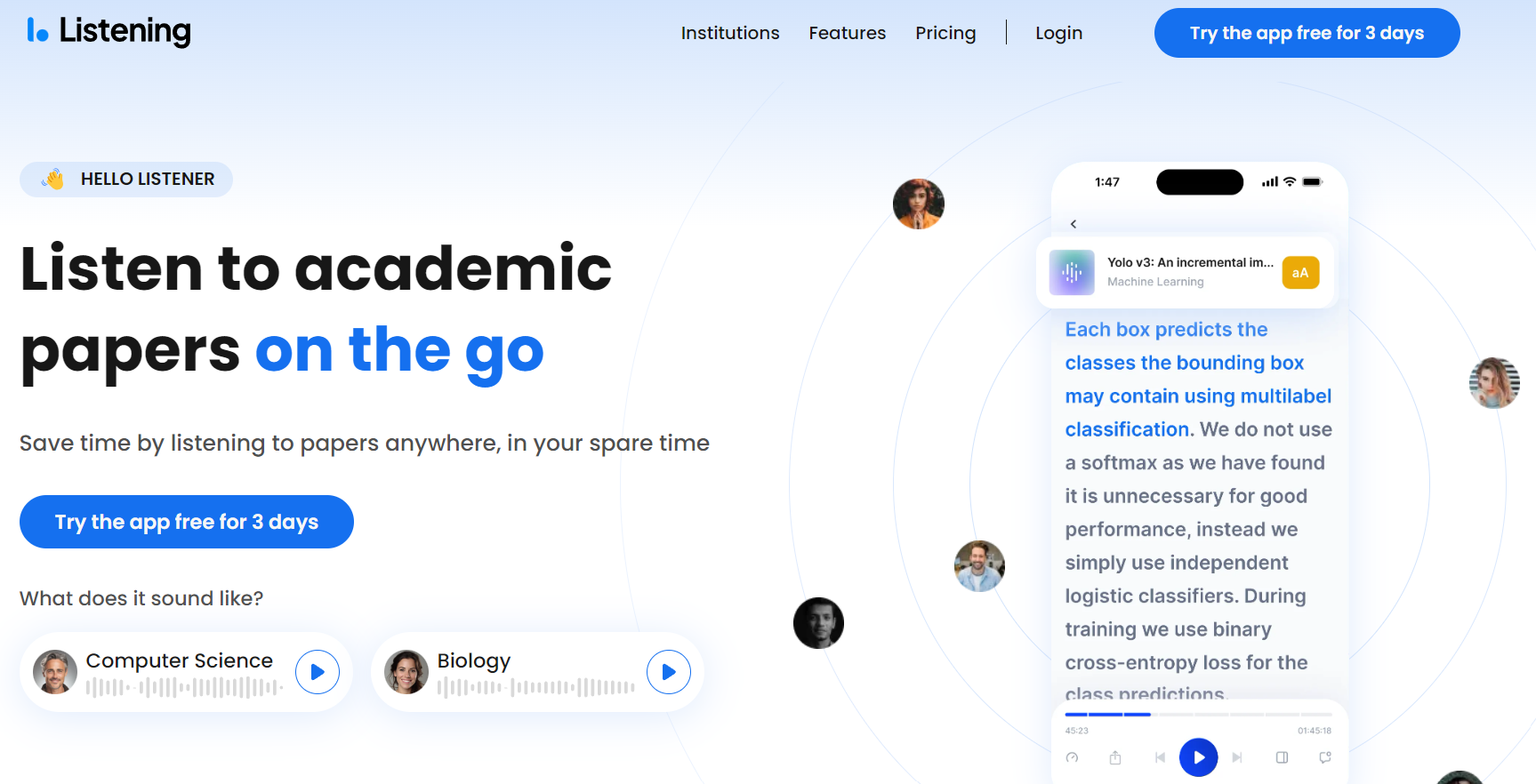
The Listening App offers features particularly suited to academic work:
- Format Versatility: Supports PDFs, DOCXs, and EPUBs, accommodating various academic publication formats.
- Annotation Integration: Synchronized text highlighting and note-taking capabilities facilitate active engagement with scholarly texts.
- Customizable Playback: Adjustable speed and voice options allow for personalized consumption of academic material.
- Reference Management: Potential integration with citation management software (feature availability may vary).

2. NaturalReader: Authentic Voices for Immersive Learning
NaturalReader’s features are particularly beneficial for international research and Multilingual academic environments:
- High-Quality Multilingual Voices: Assists in comprehension and pronunciation of scholarly work in multiple languages.
- Offline Functionality: Enables access to research materials in environments with limited internet connectivity, such as fieldwork locations.
- Cloud Integration: Seamless compatibility with cloud storage services facilitates collaborative research projects.
3. Speechify: AI-Powered TTS for Personalized Learning
Speechify leverages AI to provide advanced features for academic users:
- AI-Powered Voice Synthesis: Offers natural-sounding voices that can maintain engagement during long reading sessions.
- Advanced Speed Control: Allows for rapid consumption of academic texts without sacrificing comprehension.
- Cross-Platform Synchronization: Ensures continuity of research activities across various devices and locations.
- OCR Capabilities: Converts images of text (e.g., from older publications or archival materials) into speech, expanding access to diverse research materials.

Why You Should Care (Even If You Don’t Have Learning Challenges)
TTS isn’t just for people with specific needs. It’s for anyone who wants to up their learning game.
1. Efficiency: Listen at 2x speed and get through material twice as fast. 2. Retention: Hearing and seeing text simultaneously can improve memory retention. 3. Multitasking: Turn “dead time” into productive time. 4. Reduced Eye Strain: Give your peepers a break, especially after long study sessions. 5. Proofing: Hearing your own writing read back to you can help catch errors you might miss visually.
Making the Most of TTS
Here are some pro tips to get the most out of your TTS experience:
1. Start Slow: Don’t jump straight to 2x speed. Build up gradually to maintain comprehension. 2. Mix It Up: Combine listening with reading for the best results. 3. Take Notes: Jot down key points or questions as you listen. 4. Use It for Proofreading: Hearing your own writing can highlight awkward phrasing or errors. 5. Experiment: Try different voices and speeds to find what works best for you.
The Future of Learning
TTS isn’t just a cool tool – it’s part of a bigger shift towards more inclusive, flexible learning. As we move towards a world where education is more personalized and accessible, technologies like TTS are leading the charge.
By embracing these tools, we’re not just making life easier for students with specific needs. We’re creating a learning environment where everyone can thrive, regardless of their learning style or circumstances.
So, whether you’re a student looking to boost your study game, a teacher aiming to support diverse learners, or just someone who loves to learn, give TTS a shot. You might be surprised at how it transforms your learning experience.
Remember, in the world of learning, there’s no one-size-fits-all solution. TTS is just one tool in your educational toolkit. Use it wisely, combine it with other study methods, and most importantly, find what works best for you.
Happy learning, folks!
Become a Part of the Inclusive Learning Movement
Text-to-Speech technology is making a positive impact on education, and you can be a part of it. The Listening App offers an affiliate program that allows you to share this powerful tool with others who might benefit.
Join us now!